Store company contacts on your device with Cloud Voice
You can use ‘Phone Services’ to get hold of your personal and company contacts on your device (as long as ‘Phone Directory’ is turned on).
How do I set it up?
1. Login to the BT Cloud Voice portal
2. Select the ‘Employees’ menu
3. Select ’Features’
4. Select ‘Contacts’
5. From ‘Phone Services’, click ‘Configure’

6. You'll now see all of the devices that you can use Phone Services with
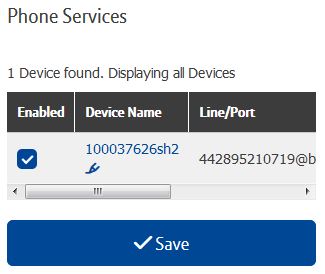
7. Tick the ‘Enable’ box and click on the ‘Device Name’ to set up Phone Services for that device
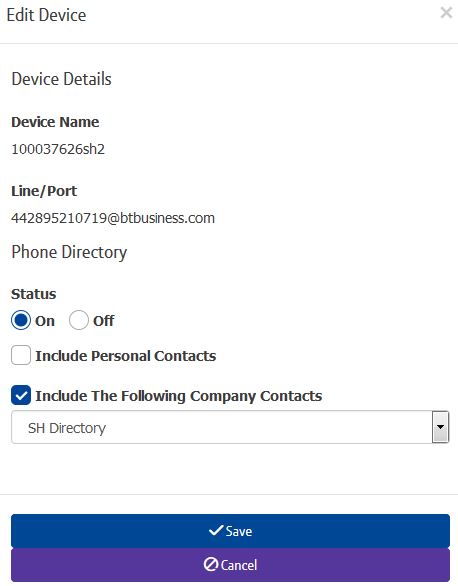
8. Set the status, and whether you want to include personal contacts and company contacts
9. Click ‘Save’