Working out the best location for your Wi-Fi Disc or Wi-Fi Plus is easy. Whichever device you have the steps are the same. The quickest and easiest way is by using the BT Business app.


Not got the app? Watch this short video for help setting up or follow the instructions below.
1. Where’s your wi-fi network weak?
If you don't already know, try walking around with your phone or a laptop to check the strength of your wi-fi signal.

2. The best spot for your Wi-Fi Disc / Wi-Fi Plus
The best spot is a clear space off the floor close to a power socket. Make sure the vents on the back of your device are clear of obstruction.

3. Find a spot between your hub and the weak wi-fi area
Usually this is about halfway between the two devices. Plug your Wi-Fi Disc/ Wi-Fi Plus into a power socket and turn it on.
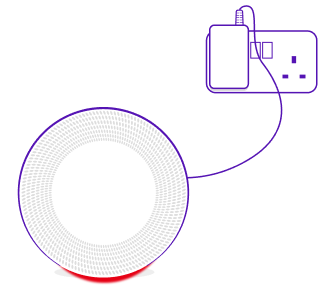
4. Wait for a single light to show
After a minute or two the light on your device will stop flashing red. If you have a Wi-Fi Disc it will turn either solid blue or orange. If you have a Wi-Fi Plus it will turn either solid indigo or orange.
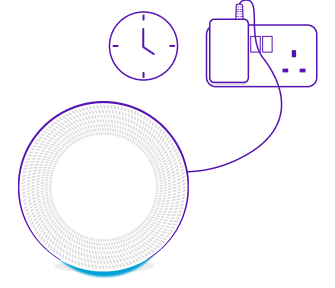
- My light is orange
You have an ok wi-fi signal — try moving your device closer to your BT Business Smart Hub to make the signal even stronger.

- My light is blue/indigo
You’ve found a great location for your device.

If you find your wi-fi blind spot isn't quite covered, try moving your device further away from your BT Business Smart Hub. If you can't cover all your blind spots with one Wi-Fi Disc/Wi-Fi Plus you can contact us to request another.